








Simple TA

Instructor Dashboard

Align AI with your teaching

Seamlessly configure and monitor your personalized AI assistant through an intuitive instructor dashboard.

Nearly 600 schools Simple Higher Ed

INSTRUCTOR DASHBOARD

Precise control

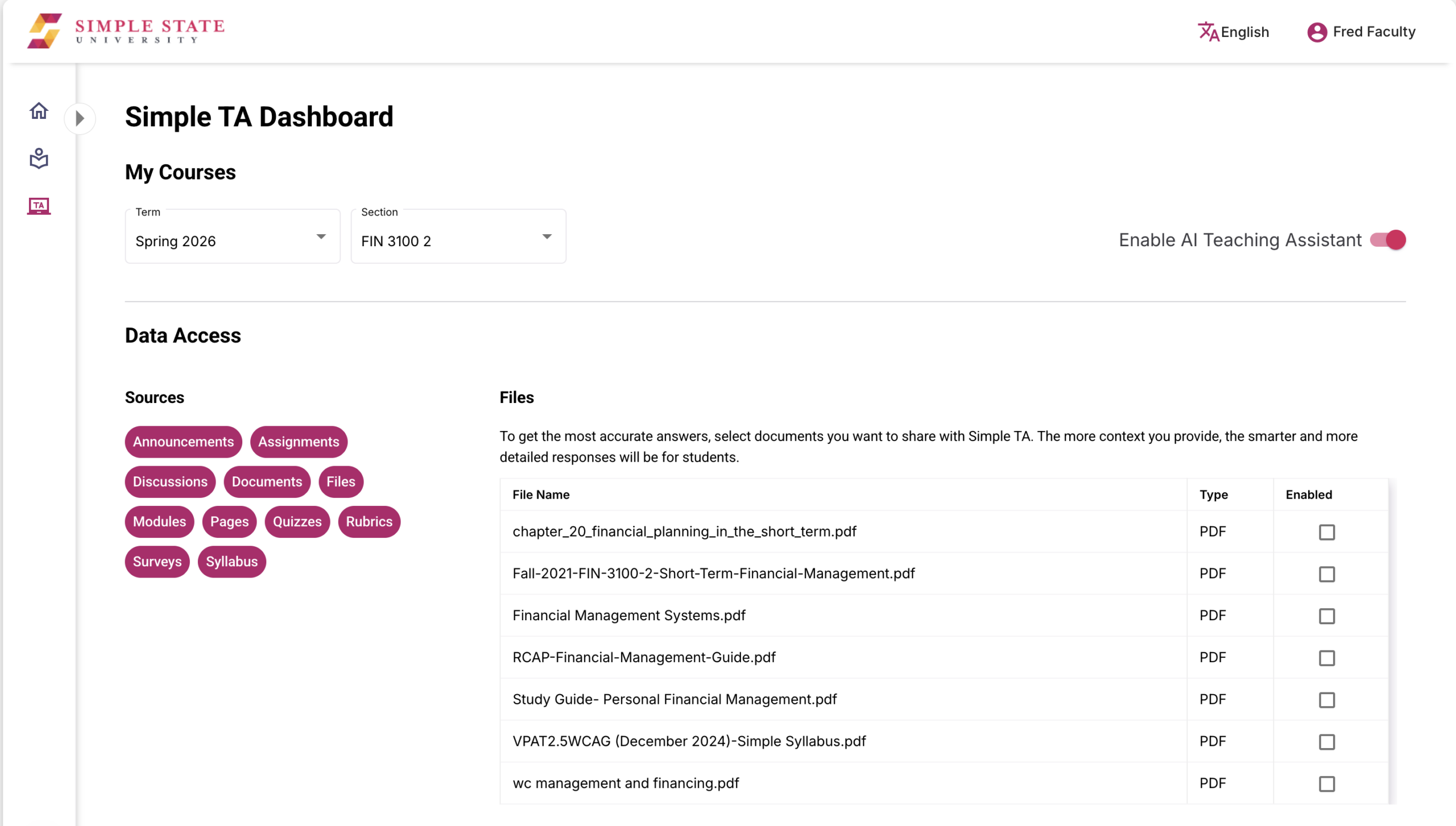
The Instructor Dashboard gives faculty the ability to configure their own personalized AI assistant to meet their specific pedagogical goals. Whether you are managing a single seminar or a massive multi-section lecture, the platform offers the granular flexibility to activate or deactivate the assistant on a per-course basis, ensuring the tool is only present when and where it adds the most value to your curriculum.

Oriented around transparency, Instructors have a clear, real-time view of the 11 potential automated data sources—from the SIS, LMS, and digital syllabus that can inform the AI’s knowledge base. Educators can further enhance the AI’s context and understanding of a course by selecting relevant files from the LMS to ingest.

Gain valuable insight and understand student behavior without overstepping ethical boundaries. Simple TA engagement reporting offers a top down view of how often and how consistently your students are interacting with the tool. Instructors can track participation trends and frequency of use at the student level, giving you the data necessary to identify at-risk learners or high-engagement cohorts—all while honoring our commitment to pedagogical privacy by ensuring individual student prompts remain confidential.

All the features your campus needs

Build trust

Prompt protection gives insight but preserves student trust.
Identify recurring themes

Question trends

Spot recurring themes and areas of confusion quickly.
View active AI responses and how used

Course visibility

See where AI is active and how it is being used.
Content grounding

Keep responses tied to content you assign as most relevant.
Manage resources that shape answers

Quickly share

Manage resources that help shape more accurate answers with a single click.

Know who's engaged with AI

Identify engagement

Know who’s engaged and who isn’t instantly.
Track which course have AI enabled

AI coverage

See which courses have AI enabled and active.

Identify the AI sources

Course clarity

Identify the sources of AI knowledge and context.
Course comparison

Compare engagement and questions between courses.